
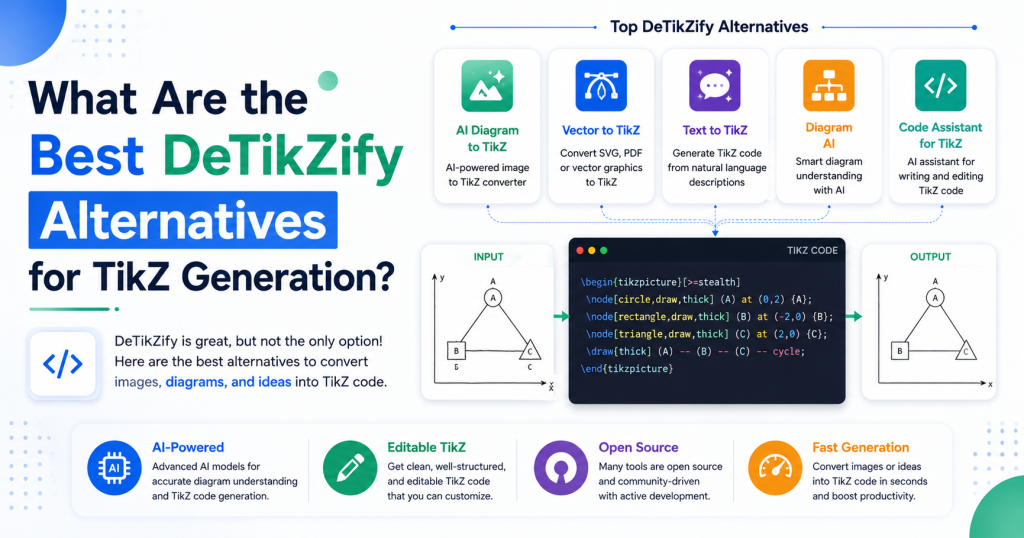
Creating high-quality diagrams in LaTeX can be time-consuming, which is why AI-powered tools like DeTikZify have become increasingly popular. DeTikZify helps users transform images, sketches, and diagrams into editable TikZ code, making it easier to create professional graphics for research papers, academic projects, and technical documentation. However, it may not be the perfect solution for everyone.
Some users need a simpler visual editor, additional customization options, or software that better fits their workflow and operating system. Fortunately, there are several excellent alternatives that offer unique features for generating and editing TikZ diagrams. In this guide, we’ll explore the best DeTikZify alternatives, compare their strengths, and help you choose the right tool for creating accurate, high-quality TikZ graphics with greater efficiency.
Read More: How Can I Fix Common DeTikZify Installation Errors?
Why Look for a DeTikZify Alternative?
Although DeTikZify is a powerful AI-based TikZ generator, some users may look for alternatives because they:
- Need a simpler interface for creating diagrams.
- Want additional editing features.
- Prefer cloud-based tools.
- Require better integration with their LaTeX editor.
- Need support for flowcharts, graphs, or network diagrams.
- Want tools that work without installing AI models.
Fortunately, several excellent tools can help you create professional TikZ graphics.
TikZJax
TikZJax is a lightweight solution for rendering TikZ diagrams directly in a web browser. Instead of generating TikZ code from images, it focuses on displaying TikZ graphics without requiring a complete LaTeX installation.
It is a great choice for developers, educators, and documentation websites that need to display TikZ diagrams online quickly.
Best for:
- Browser-based rendering
- Educational websites
- Online documentation
TikZiT
TikZiT is one of the most popular graphical editors for TikZ diagrams. It provides a drag-and-drop interface that makes creating node-and-edge diagrams much easier than writing code manually.
Instead of starting from scratch, users can visually design diagrams and export clean TikZ code for LaTeX projects.
Best for:
- Graph theory
- Network diagrams
- Flowcharts
- Academic papers
Ipe
Ipe is a professional vector graphics editor designed for creating technical illustrations. It integrates well with LaTeX and allows users to export graphics in formats suitable for academic publications.
Many researchers prefer Ipe because it combines precision drawing tools with LaTeX support.
Best for:
- Scientific figures
- Mathematical illustrations
- Research publications
Inkscape with TikZ Export Extensions
Inkscape is a well-known vector graphics editor that becomes even more useful for LaTeX users through TikZ export extensions. Users can draw complex graphics visually and then export them into TikZ-compatible code.
This approach works well for illustrations that are too detailed to create manually using TikZ commands.
Best for:
- Vector illustrations
- Technical drawings
- Custom diagrams
Graphviz
Graphviz specializes in generating graphs automatically from structured descriptions. Although it doesn’t generate TikZ directly by default, many workflows allow Graphviz output to be integrated into LaTeX documents.
It is especially useful for dependency graphs, organizational charts, and network structures.
Best for:
- Tree diagrams
- Directed graphs
- Network visualization
Asymptote
Asymptote is a vector graphics language designed specifically for mathematical and technical illustrations. It offers greater flexibility than TikZ for some advanced graphics while maintaining excellent integration with LaTeX.
It is widely used in mathematics, engineering, and physics publications.
Best for:
- Mathematical graphics
- 3D illustrations
- Scientific visualization
AI Chatbots for TikZ Code Generation
Modern AI assistants can also help generate TikZ code from natural language descriptions. Instead of uploading an image, you simply describe the diagram you want, and the AI produces editable TikZ code that you can refine as needed.
This approach is especially useful for creating flowcharts, coordinate systems, geometric figures, and simple scientific diagrams without starting from scratch.
Best for:
- Learning TikZ
- Quick code generation
- Editing existing TikZ code
- Explaining TikZ syntax
Which Alternative Is Best?
The best alternative depends on your needs.
- If you want AI-powered image-to-TikZ conversion, DeTikZify remains one of the strongest choices.
- If you prefer visual editing, TikZiT is an excellent option.
- For scientific illustrations, Ipe offers professional-grade tools.
- If you’re creating vector artwork, Inkscape provides exceptional flexibility.
- For automatic graph generation, Graphviz is difficult to beat.
- If you need advanced mathematical graphics, Asymptote is worth considering.
- For natural language assistance and code generation, AI chatbots can significantly speed up your workflow.
How to Choose the Right TikZ Tool
Before selecting a tool, consider the type of diagrams you create most often. Researchers working with academic papers may benefit from applications designed specifically for technical illustrations, while students may prefer user-friendly editors that reduce the learning curve.
You should also consider compatibility with your operating system, LaTeX editor, and preferred workflow. Some tools require installation, while others work directly in the browser. Choosing software that matches your existing setup can save time and improve productivity.
Conclusion
Choosing the best DeTikZify alternative depends on your specific needs and the type of TikZ diagrams you create. If you prefer AI-assisted code generation, visual editing, or advanced tools for technical illustrations, there are several reliable options available to enhance your LaTeX workflow. Each alternative offers its own strengths, from beginner-friendly interfaces to powerful features for researchers and professionals. By comparing their capabilities and compatibility with your projects, you can find the tool that best suits your requirements. No matter which option you choose, the right TikZ generator can help you create clean, accurate, and publication-quality diagrams more efficiently while saving valuable time.