If you’re searching for the latest version of DeTikZify, downloading it from a safe and trusted source should be your top priority. As an open-source AI tool that converts images, sketches, and scientific diagrams into editable TikZ code, DeTikZify is widely used by researchers, students, engineers, and LaTeX enthusiasts. However, downloading software from unofficial websites can expose you to outdated files, security risks, or modified versions that may not work as expected.
Choosing a reliable source ensures you receive the newest features, bug fixes, and compatibility improvements while protecting your device. In this guide, we’ll explain where to safely download the latest version of DeTikZify, how to verify its authenticity, and the best practices for a secure installation experience.
Read More: What Are the Best DeTikZify Alternatives for TikZ Generation?
What Is DeTikZify?
DeTikZify is an AI-powered tool designed to transform images, scientific figures, and hand-drawn sketches into editable TikZ code. It helps researchers, students, engineers, and LaTeX users recreate diagrams without manually writing complex TikZ commands.
Instead of spending hours coding graphics, users can generate a solid starting point that can be refined inside a LaTeX editor.
Where Can You Download the Latest Version of DeTikZify?
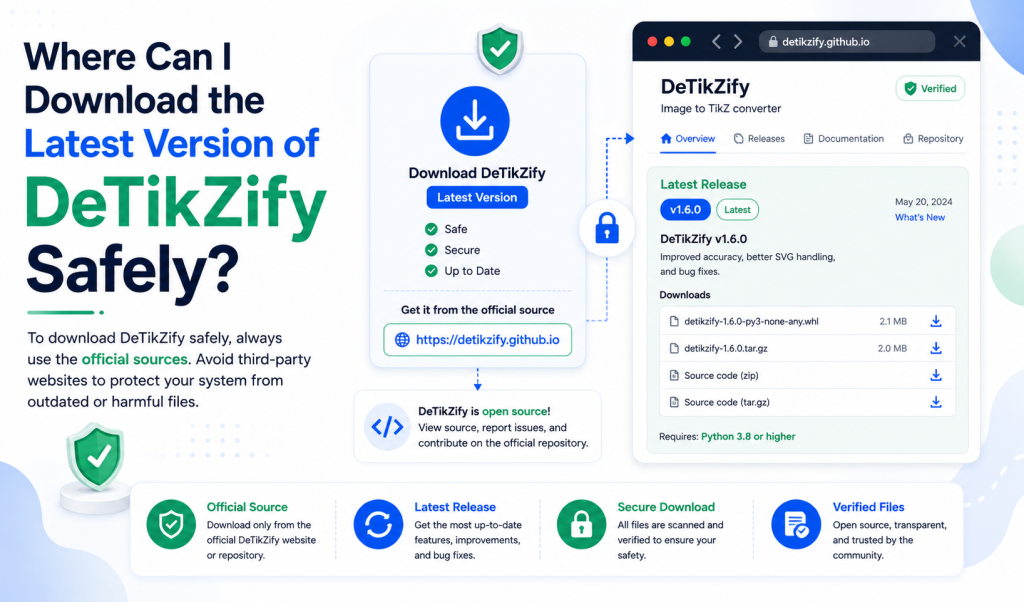
The safest place to download DeTikZify is its official GitHub repository. Since the project is open source, the developers publish the newest source code, updates, bug fixes, and installation instructions there first.
If you’re using Python, you can also install the latest version through the official installation method provided by the developers. This ensures you’re working with the most recent code rather than an outdated package from an unofficial source.
Avoid downloading executable files or installation packages from unknown websites unless you completely trust the source and have verified the files.
Why You Should Avoid Unofficial Downloads
Many third-party download websites repackage software. While some are legitimate, others may offer outdated versions or modified installers.
Downloading from an untrusted source can result in:
- Outdated releases that miss important improvements
- Missing dependencies
- Modified files
- Malware or unwanted software
- Installation problems caused by incomplete packages
Whenever possible, always compare the version number with the latest release published by the developers.
How to Verify You’re Downloading the Latest Version
Before installing DeTikZify, take a few minutes to verify that you’re getting the newest release.
Check the release date and version number published by the developers. Read the release notes to see what has changed and whether any installation requirements have been updated.
If you’re cloning the repository directly, make sure you’re using the latest stable branch or release tag recommended in the documentation.
Is DeTikZify Free to Download?
Yes. DeTikZify is an open-source project, meaning anyone can access its source code and install it according to the project’s license.
Although the software is free, running larger AI models may require a capable computer with sufficient RAM, storage, and GPU resources for the best performance.
Which Operating Systems Support DeTikZify?
DeTikZify is designed to work on multiple operating systems.
You can typically use it on:
- Windows
- macOS
- Linux
Because installation is Python-based, the setup process is similar across platforms, although some dependencies may vary.
What Do You Need Before Installing?
Before downloading DeTikZify, make sure your computer has the required software.
Common requirements include:
- A supported Python version
- Git (for cloning the repository)
- A LaTeX distribution if you plan to compile TikZ files
- Additional dependencies listed in the official documentation
Installing these components beforehand helps reduce installation errors.
Is It Safe to Download DeTikZify from Third-Party Websites?
Only if the website has a strong reputation and clearly links to the original project.
Even then, it’s a good idea to compare the version information with the official release. If a download page doesn’t mention the software version, update history, or source, it’s better to avoid it.
Security should always come before convenience.
Tips for Staying Safe
Whenever you download DeTikZify or any open-source software:
- Download from official sources whenever possible.
- Verify the latest version before installing.
- Scan downloaded files with your antivirus software.
- Read the installation instructions carefully.
- Keep the software updated to receive bug fixes and security improvements.
These simple steps can help you avoid unnecessary problems.
Conclusion
Downloading the latest version of DeTikZify from a trusted source is the best way to ensure a secure and reliable experience. Official distribution channels provide the most up-to-date releases, important bug fixes, and accurate installation instructions, helping you avoid outdated or potentially unsafe files. Before installing, take a moment to verify the version, review the system requirements, and follow the recommended setup steps. Keeping DeTikZify updated will also give you access to new features and performance improvements as they become available. By following these best practices, you can install DeTikZify with confidence and start creating high-quality, editable TikZ diagrams efficiently.