
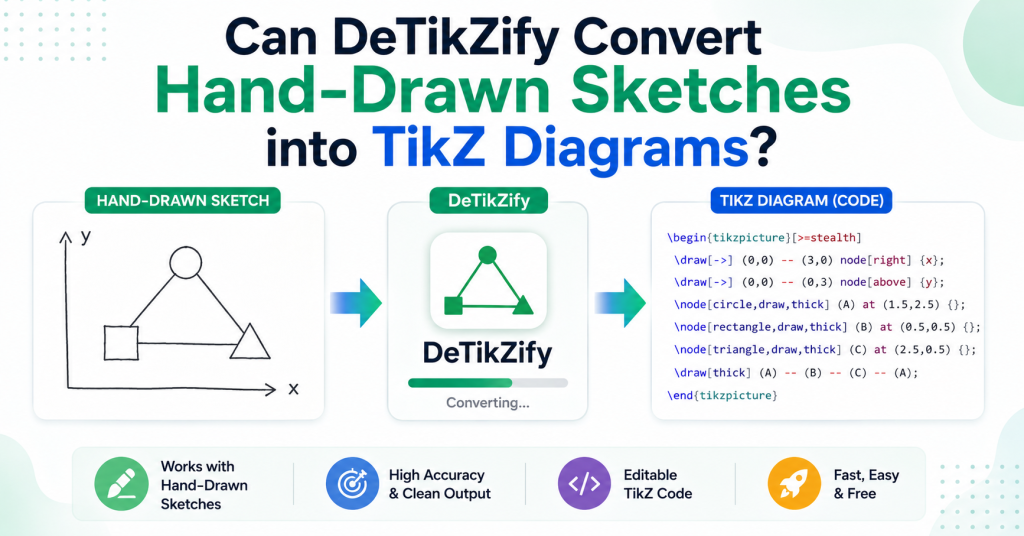
Creating TikZ diagrams manually can be one of the most time-consuming parts of working with LaTeX, especially when you already have a hand-drawn sketch of your idea. Whether you’re a student illustrating geometry problems, a researcher preparing academic figures, or an engineer designing technical diagrams, turning rough sketches into clean, editable TikZ code often requires significant effort.
This is where DeTikZify offers an exciting solution. Powered by artificial intelligence, it analyzes images and generates TikZ code that closely matches the original diagram. But how well does it handle hand-drawn sketches? In this guide, we’ll explore whether DeTikZify can accurately convert sketches into TikZ diagrams, discuss its strengths and limitations, and share practical tips to help you achieve the best possible results.
Read More: How Do I Convert an Image into TikZ Code Using DeTikZify?
What Is DeTikZify?
DeTikZify is an AI-powered tool that transforms images, diagrams, and sketches into editable TikZ/PGF code for LaTeX. Instead of manually writing dozens or hundreds of drawing commands, the software analyzes the visual content and produces TikZ code that you can edit and compile.
This makes it especially useful for:
- Students creating homework and assignments
- Researchers preparing academic papers
- Engineers documenting technical designs
- Teachers making lecture materials
- Anyone who regularly works with LaTeX diagrams
Can DeTikZify Convert Hand-Drawn Sketches?
Yes. DeTikZify is capable of converting many hand-drawn sketches into TikZ diagrams using AI-based image understanding.
However, it doesn’t simply trace every line. Instead, it analyzes the structure of your drawing, identifies shapes and relationships, and generates TikZ code that recreates the diagram.
For example, it can often recognize:
- Basic geometric shapes
- Boxes and rectangles
- Arrows and connectors
- Flowcharts
- Graphs
- Coordinate systems
- Mathematical figures
- Network diagrams
If your sketch is neat and well-organized, the generated TikZ code is generally much more accurate.
How the Conversion Process Works
The process is surprisingly straightforward.
1. Create Your Sketch
Draw your diagram on paper or a digital drawing tablet. Use dark, clear lines whenever possible.
2. Capture the Image
Take a well-lit photo or scan the sketch. Avoid shadows, blurry images, or tilted angles.
3. Upload the Sketch
Upload the image into DeTikZify.
4. AI Analyzes the Diagram
The AI detects shapes, lines, labels, and their relationships.
5. Generate TikZ Code
DeTikZify creates editable TikZ code that you can paste into your LaTeX project.
6. Review and Edit
Since AI isn’t perfect, review the generated code and make any necessary adjustments.
What Types of Sketches Work Best?
DeTikZify performs best with clean, structured drawings.
Examples include:
- Flowcharts
- Block diagrams
- Geometry figures
- Coordinate graphs
- Network diagrams
- Simple engineering drawings
- Mathematical illustrations
- Educational diagrams
Simple diagrams generally produce better results than highly artistic or complex illustrations.
Sketches That May Be Challenging
Although DeTikZify is powerful, some sketches remain difficult for AI to interpret.
These include:
- Messy handwriting
- Rough pencil sketches
- Overlapping objects
- Artistic illustrations
- Highly detailed technical drawings
- Shaded images
- Paintings
- Comic-style artwork
- Decorative graphics
These often require manual editing after conversion.
Tips for Better Results
To improve conversion accuracy, follow these best practices.
Use Dark Lines
Bold black ink is much easier for AI to recognize than faint pencil marks.
Keep Shapes Simple
Clean circles, rectangles, and straight lines produce more reliable output.
Avoid Shadows
When photographing your sketch, use even lighting to eliminate shadows and glare.
Write Clearly
If your diagram includes text labels, print them neatly rather than using cursive handwriting.
Scan Instead of Photographing
Whenever possible, scan the sketch instead of taking a phone photo. Scanned images typically provide better clarity.
Remove Background Noise
Crop the image so that only the diagram appears in the frame.
Advantages of Using DeTikZify for Sketch Conversion
There are several reasons users choose DeTikZify over manually creating TikZ diagrams.
Saves Time
Instead of spending hours coding diagrams by hand, you can generate a starting point within minutes.
Reduces Manual Coding
Complex TikZ syntax can be difficult to remember. AI handles much of the repetitive work.
Editable Output
Unlike image files, TikZ diagrams remain fully editable inside your LaTeX document.
Great for Academic Work
Researchers and students can quickly convert notebook sketches into publication-ready figures.
Beginner-Friendly
Even users with limited TikZ experience can generate diagrams and learn by examining the produced code.
Limitations to Keep in Mind
While DeTikZify is impressive, it isn’t perfect.
You may notice:
- Minor alignment issues
- Missing labels
- Incorrect arrow directions
- Simplified shapes
- Formatting inconsistencies
For publication-quality diagrams, a quick manual review is usually recommended.
Is DeTikZify Better Than Drawing TikZ Manually?
For many users, yes.
Manual TikZ coding offers complete control but can be time-consuming, especially for large diagrams. DeTikZify dramatically speeds up the process by generating an editable foundation that you can refine as needed.
If you’re working with straightforward diagrams or rough concept sketches, it can save a significant amount of effort.
Conclusion
DeTikZify makes it much easier to transform hand-drawn sketches into editable TikZ diagrams, saving valuable time for students, researchers, educators, and professionals who work with LaTeX. While the AI performs best with clear, well-organized sketches, it can generate a solid starting point for many diagrams, reducing the need to write TikZ code from scratch. Keep in mind that complex or messy drawings may require some manual adjustments to achieve publication-quality results. Overall, if you’re looking for a faster and more efficient way to convert sketches into TikZ code, DeTikZify is a powerful tool that can significantly streamline your workflow and simplify the diagram creation process.