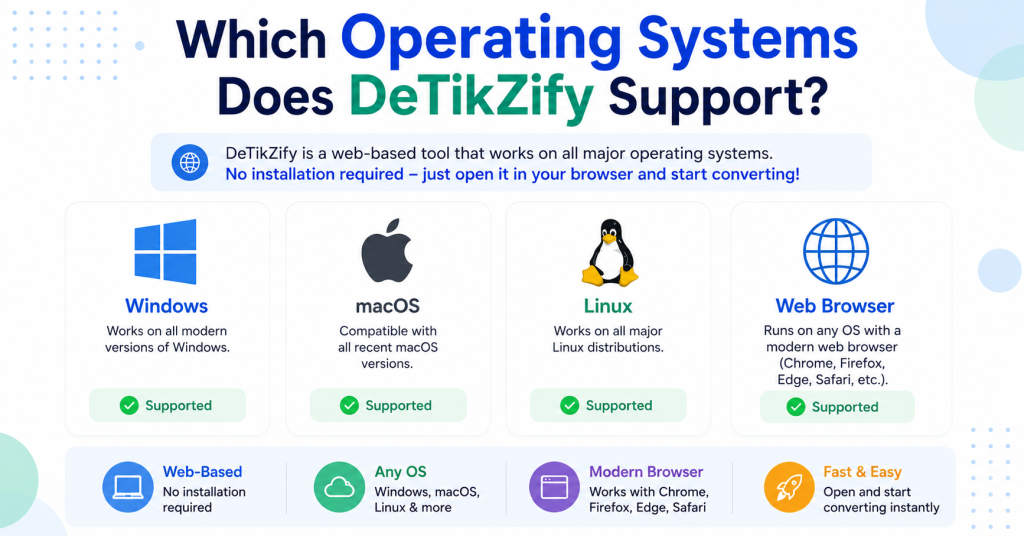
If you’re considering using DeTikZify to convert images, sketches, or diagrams into editable TikZ code, you may be wondering whether it works on your operating system. The good news is that DeTikZify is designed to be cross-platform, making it accessible to users on Windows, macOS, and Linux. Since it’s built with Python and integrates with modern AI models, the software can be installed on a variety of desktop environments with the proper dependencies.
Whether you’re a student preparing academic diagrams, a researcher creating technical illustrations, or a developer working with LaTeX, choosing a compatible operating system is the first step toward a smooth setup. In this guide, we’ll explore which operating systems DeTikZify supports, discuss compatibility requirements, and share tips to help you achieve the best performance on your device.
Read More: Can DeTikZify Convert Hand-Drawn Sketches into TikZ Diagrams?
Does DeTikZify Support Windows?
Yes. DeTikZify can run on Windows 10 and Windows 11.
Most users install it using Python and Git. Since some AI models perform intensive computations, installing the latest version of Python and keeping your graphics drivers updated is recommended.
If you’re planning to generate diagrams frequently, using a dedicated GPU can significantly improve performance. However, DeTikZify can also run on systems that rely on CPU processing, although generation may take longer.
Windows Requirements
- Windows 10 or Windows 11
- Python 3.10 or newer (recommended)
- Git
- Internet connection for downloading dependencies
- Optional NVIDIA GPU for faster AI inference
Does DeTikZify Support macOS?
Yes. DeTikZify also works on macOS.
Whether you have an Intel-based Mac or an Apple Silicon device such as an M1, M2, M3, or newer chip, you can install the required Python packages and run the software.
Performance depends on your Mac’s hardware. Apple Silicon Macs generally provide a smoother experience for AI workloads compared to older Intel models.
macOS Requirements
- macOS Monterey or newer (recommended)
- Python installed
- Git
- Terminal access
- Sufficient available storage for AI models
Does DeTikZify Support Linux?
Absolutely. In fact, many developers prefer using DeTikZify on Linux because AI and machine learning tools are commonly developed and tested in Linux environments.
Popular distributions include:
- Ubuntu
- Debian
- Fedora
- Arch Linux
- Linux Mint
Installing Python, Git, and the required packages is usually straightforward through your distribution’s package manager.
Linux Requirements
- Modern Linux distribution
- Python 3.10+
- Git
- Terminal
- Optional CUDA-compatible NVIDIA GPU for accelerated performance
Can DeTikZify Run on Apple Silicon Macs?
Yes. Apple Silicon devices such as the M1, M2, M3, and newer chips are supported through Python environments compatible with macOS.
These processors offer excellent efficiency and can provide faster AI inference than many older Intel-based laptops, making them a strong choice for working with DeTikZify.
Does DeTikZify Require a GPU?
No. A dedicated GPU is not required.
You can run DeTikZify using only your computer’s CPU. However, if you’re generating complex diagrams or processing large images, a GPU can greatly reduce processing time.
If you have an NVIDIA graphics card with CUDA support, you’ll generally experience much faster inference speeds.
Can You Use DeTikZify on Low-End Computers?
Yes, but there are some limitations.
DeTikZify can operate on modest hardware, but image processing and AI model inference will take longer. Systems with limited RAM or older processors may experience slower performance when handling complex diagrams.
For occasional use, a mid-range laptop is usually sufficient.
Does DeTikZify Support Cloud Environments?
Yes. Since DeTikZify is Python-based, many users choose to run it in cloud environments where more powerful hardware is available.
Cloud platforms can be useful when processing large diagrams or when local hardware lacks the necessary computing power.
Is DeTikZify Cross-Platform?
Yes. DeTikZify is considered a cross-platform application because it supports the three major desktop operating systems:
| Operating System | Supported |
|---|---|
| Windows | ✅ Yes |
| macOS | ✅ Yes |
| Linux | ✅ Yes |
As long as the required software dependencies are installed, the overall workflow remains similar across platforms.
Tips for the Best Performance
To get the best experience with DeTikZify:
- Use the latest stable version of Python.
- Keep your operating system updated.
- Install the latest graphics drivers if using a GPU.
- Ensure you have enough free storage for AI models and dependencies.
- Close unnecessary background applications when processing large images.
Conclusion
DeTikZify supports the three major desktop operating systems—Windows, macOS, and Linux—making it a flexible solution for a wide range of users. As long as your system has the required Python environment and dependencies installed, you can use DeTikZify to transform images and diagrams into editable TikZ code with ease. While the software can run on CPU-only systems, a modern processor and a compatible GPU can significantly improve performance when working with larger or more complex diagrams. No matter which platform you prefer, DeTikZify provides a reliable and efficient way to simplify TikZ diagram creation for LaTeX projects, technical documentation, and academic work.